Exciting news for our HubSpot and QuotaPath users!
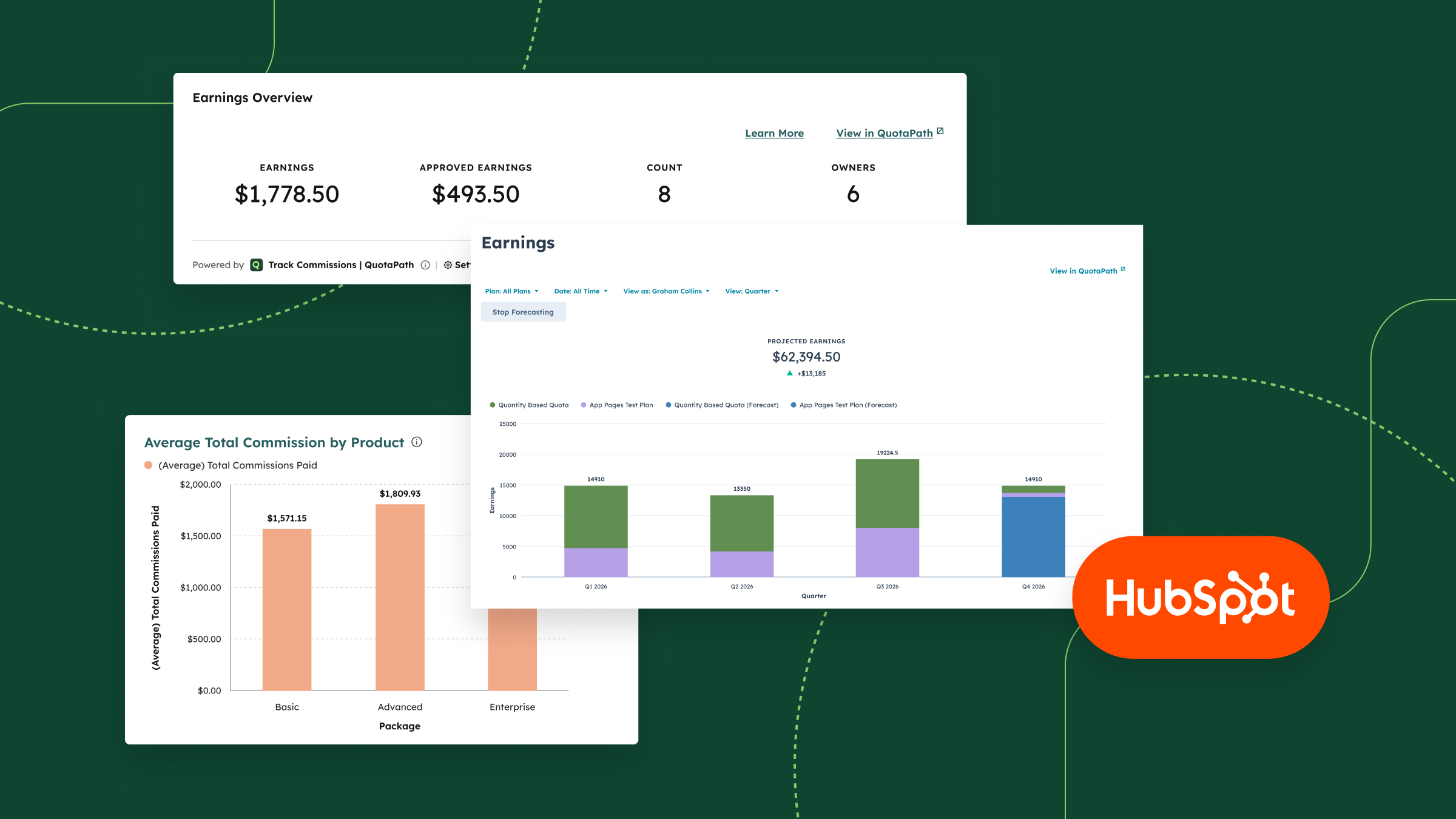
Our two-way integration now includes full QuotaPath Earnings and Attainment views directly in HubSpot.
Called App Pages, the newest addition to our HubSpot integration, reps and admins can check where they stand in the same place they’re already managing pipeline.
Learn more below.
What are App Pages?
App Pages are essentially a mirror of the Earnings and Attainment pages you already use in QuotaPath, rendered natively inside HubSpot. That means the same aggregated views, the same filtering, and the same pipeline forecasting, without a separate login or a second browser tab.
With App Pages, reps and admins can:
- View aggregated Earnings inside HubSpot, filtered the same way they would in QuotaPath
- View Attainment inside HubSpot, across owners, plans, or components
- Forecast pipeline directly from the Earnings and Attainment views
- See QuotaPath data inside HubSpot regardless of which object (Deals, custom objects, etc.) their workspace uses as its data source
This rounds out QuotaPath’s presence inside HubSpot alongside our App Cards and App Objects, which surface deal-level earnings and attainment data. App Pages zoom out to give the aggregate, period-over-period view reps and managers rely on to know where they stand.
Why it matters
Sales reps and managers already spend most of their day in HubSpot.
Every extra login, tab, or app switch is friction, and friction is exactly what keeps reps from checking in on their numbers regularly.
By putting the same Earnings and Attainment pages reps know from QuotaPath directly inside HubSpot, App Pages remove that friction entirely, so checking commission standing becomes part of the workflow instead of an extra errand.
Design, track, and manage variable incentives with QuotaPath. Give your RevOps, finance, and sales teams transparency into sales compensation.
Talk to SalesNothing extra to set up
App Pages work regardless of your QuotaPath workspace’s data source, and they’re turned on by default for any workspace connected to HubSpot. If you’re already syncing QuotaPath and HubSpot, there’s nothing to configure; your team can start using App Pages today.
How to find App Pages in HubSpot
App Pages appear alongside your other HubSpot navigation once your workspace is connected. For a full walkthrough of setup and access, visit our Help Center article on the HubSpot integration.
Not yet running QuotaPath and HubSpot together? See why QuotaPath is the most installed commission app on the HubSpot Marketplace and explore the full integration.