Key takeaways
- Choosing a compensation calculator depends on which of three questions you need answered: whether the plan is affordable, whether the package will close the hire, and whether a payout matches what was promised. Most teams run three or four of these tools, and each output depends entirely on the benchmark behind the input.
- Every one of these tools runs on the same five variables, namely base salary, variable pay, quota, commission rate, and OTE, so settling any three fixes the other two.
- Blended commission cost across every earner on a deal should stay under 30% of revenue, a total most teams track role by role and rarely total up.
- Six months is the most common ramp period across 114 revenue leaders surveyed, with roughly 30% using reduced quotas to get new hires there, per ramping compensation research.
- 97% of organizations adjusted their 2026 compensation plans, up from 86%, according to sales compensation trends research from WorldatWork.
Supply a base salary, a quota, and a rate, and the tool returns a correct answer to the question you asked. Whether that answer is worth acting on depends on the benchmark you fed it and on whether anything keeps the number accurate once deals start closing.
Design, track, and manage variable incentives with QuotaPath. Give your RevOps, finance, and sales teams transparency into sales compensation.
Talk to SalesWhat is a compensation calculator tool?
Base salary, variable pay, quota, commission rate, and on-target earnings move together in a fixed relationship, so fixing any three settles the other two. A compensation calculator runs that math for you, and what separates one tool from another is not features, since a spreadsheet handles the same arithmetic, but the decision each is built to answer.
Which of the three questions are you answering?
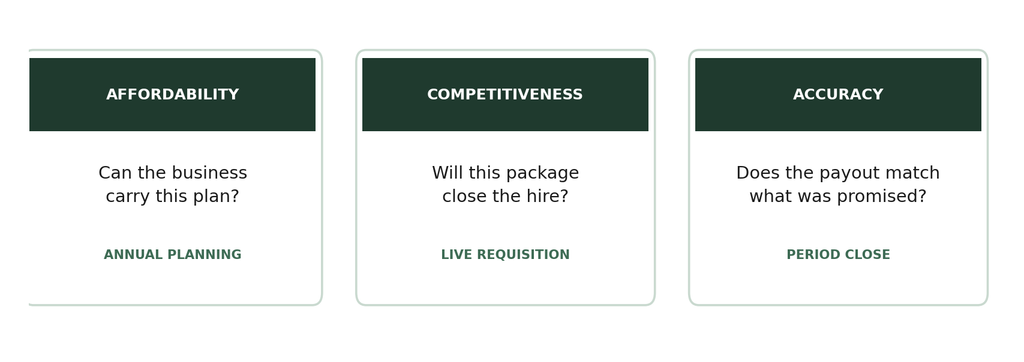
Three decisions account for almost every compensation calculation a revenue team runs in a planning cycle:
- Affordability covers whether the business can carry the plan at realistic attainment rather than at target, which is where cost per closed dollar gets decided.
- Competitiveness turns on whether the package clears the market for that role and seniority, and the answer shifts as published benchmarks shift.
- Accuracy tests whether what gets paid matches what the plan committed to.
Which calculations do these tools cover?
| Calculation | Question it answers | Inputs you need | Usually owned by |
| Quota-to-OTE ratio | Can the business carry this plan? | Base, on-target commission, quota, average attainment | Finance, RevOps |
| Base, variable, and OTE | What should this role be paid? | Any three of the five core variables | Sales leadership |
| Total commission rate | What does a deal cost across everyone? | Headcount, OTE, quota, and attainment by role | Finance |
| Ramp quota | What should a new hire carry? | Annual quota, ACV, sales cycle, variable pay | RevOps |
| Commission payout | What do we owe this period? | Closed deals, rate, quota frequency | RevOps, Finance |
| Activity to quota | Can the pipeline support the number? | Quota, ACV, conversion rates | Sales leadership |
| Cost of manual comp work | Is automation worth paying for? | Hours spent, loaded salary cost, error rate | Finance |
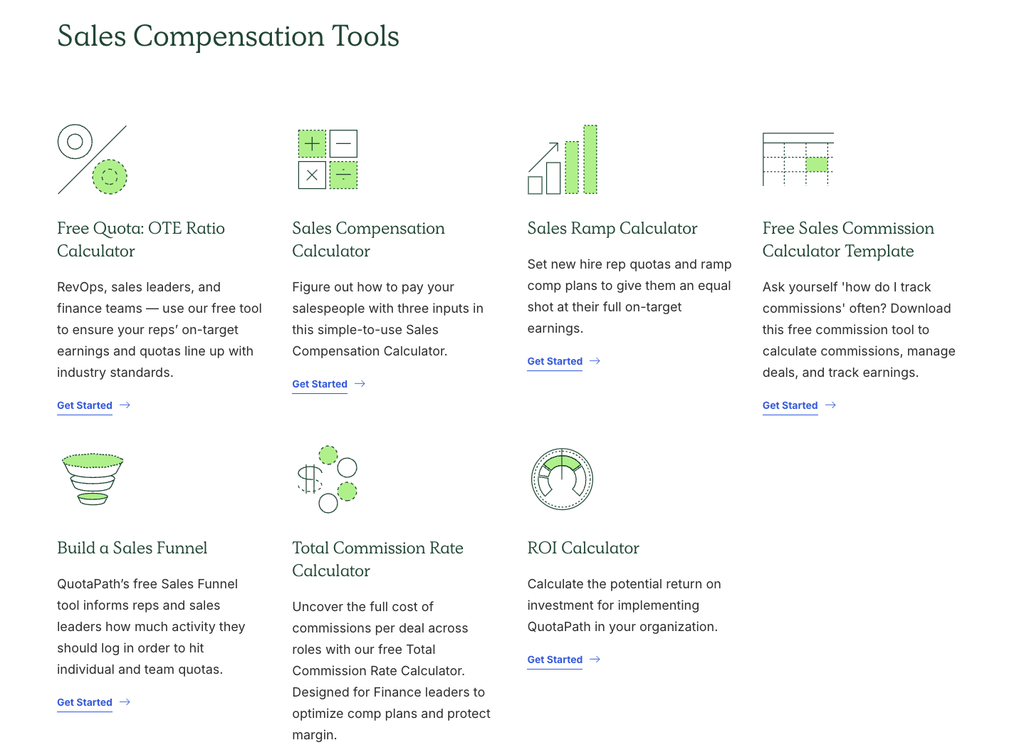
The 7 best compensation calculator tools
Every tool addresses a specific question, and the data you have available determines whether you can use it right now:
1. Quota-to-OTE ratio calculator
Quota only carries true meaning when evaluated as a multiple of a representative’s earnings, and the Quota: OTE Ratio Calculator tests this balance using two distinct inputs. The first weighs base salary, on-target commission, and annual quota to produce the ratio. The second folds in average team attainment, showing what the plan costs in practice. At the 4.6x median, a $200,000 package needs roughly $920,000 of quota behind it, and skipping the second input is how plans that look affordable at full attainment stop working at 60%.
2. Sales compensation calculator
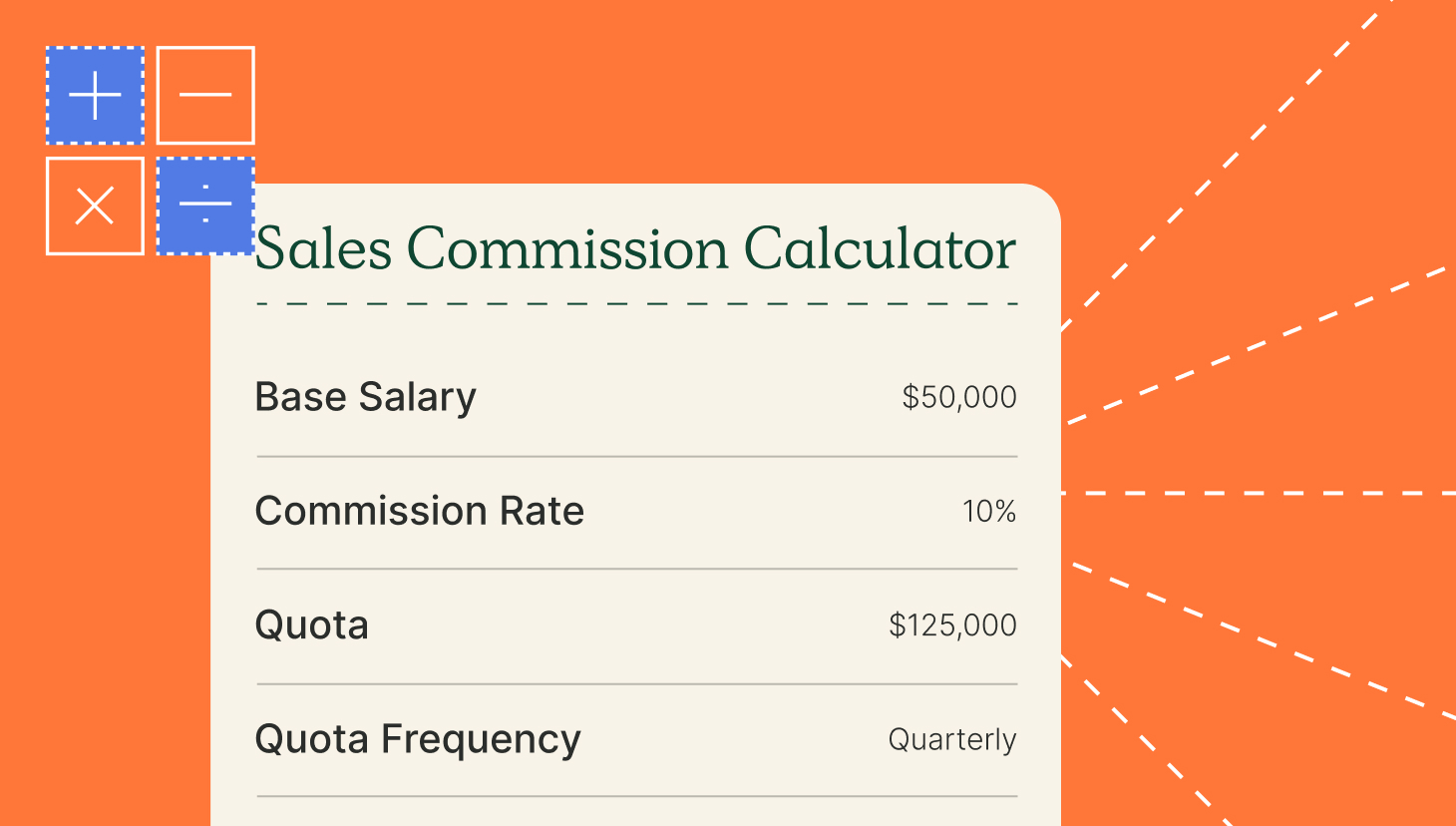
The Sales Compensation Calculator works across five variables, namely quota, commission rate, variable compensation, base salary, and OTE. Providing any three values allows the tool to calculate the missing two. This is particularly helpful during job offer discussions, where two terms are already agreed upon, and the third is typically estimated. Because these variables are mathematically tied, commission rates stem from the quota-to-OTE ratio. As a result, increasing total pay without adjusting the quota automatically alters the commission rate, regardless of intent.
3. Total commission rate calculator
Individual rates hide what a deal costs once a sales development representative, a sales engineer, and a manager all earn on the same contract. The Total Commission Rate Calculator models payout cost per dollar of new revenue across every earner, then holds the combined figure against a ceiling of 30% of deal revenue. Every role added to a deal moves that total, and accelerators lift it further once attainment passes target, so the aggregate is worth calculating before rates are set, not after payouts are due.
4. Sales ramp calculator
A ramp schedule converts an annual target into what a new hire is accountable for each month before reaching full productivity. The Sales Ramp Calculator takes annual quota, average contract value, sales cycle length, and variable pay, then returns the monthly progression from guaranteed earnings to the full number. Among 114 revenue leaders surveyed in this ramping comp plans research, six months was the most common ramp period, and roughly 30% used reduced quotas to get there.
5. Sales commission calculator template
A structured spreadsheet is often the right answer before a system is justified. This commission calculator template takes base salary, commission rate, quota, quota frequency, and OTE, logs closed deals on a separate tab, and totals them by month. It works for a small team on a single plan, and costs more time than it saves once accelerators, splits, and multiple plans are in play.
6. Sales funnel calculator
The sales funnel calculator works back from the target through two conversion stages you define, whether qualification and close rate or demo show rate and trial conversion, and returns the activity volume required. Run it before quotas are locked and you find out whether the meeting count the target implies is one a person could work through in a week.
7. Compensation ROI calculator
The ROI calculator weighs hours spent reconciling commissions, the loaded cost of those hours, and the performance gain that follows when a team can see earnings without asking. It is the calculation to run when commission processing has quietly become a recurring part of someone’s month without ever being budgeted as work.
How do you choose the right compensation calculator?
Getting value from these tools depends on when you run them, what you feed them, and where the answer goes next:
When should you run each calculation?
Affordability work belongs in annual planning alongside capacity and territory decisions, while quota coverage and cost of sales can still change. Competitiveness questions arrive with a live requisition, accuracy checks belong at period close, when there is an actual payout to verify rather than a projected one.
Timing matters more than it used to, since sales compensation trends research published by WorldatWork found 97% of organizations changed their plans for 2026, up from 86% the year before, with 66% of those changes aimed at strengthening pay for performance. A calculation run against last year’s structure will not describe this year’s plan.
What benchmarks should you plug into these calculators?
Input quality sets the ceiling on accuracy, since any of these models will accept an invented attainment rate and return a confident answer. Average attainment, average contract value, and stage conversion should come from your own last four quarters where that history exists, with published benchmarks covering the rest.
The 3x to 5x quota-to-OTE guardrail is a reasonable starting range, and the market has drifted toward the upper half, with the median at 4.6x against 4.2x two years prior. Attainment is easy to leave at 100% in a model, and with 48% of account executives reaching annual quota, a plan built that way prices a scenario fewer than half the team will hit. Running it at target and at realistic attainment, then confirming it holds either way, is what turns a benchmark into a decision you can defend.
When do you need more than a compensation calculator?
The tools stop being enough at the point where checking the number takes longer than producing it.
Five signs your plans have outgrown a one-time calculation
If two or more of these issues surface within the same quarter, it is time to consider a more permanent solution:
- Payout accuracy gets questioned more than once a quarter.
- More than two plans are live, each with its own accelerators, buffers, or eligibility rules.
- Closing commissions takes more than a day.
- Somebody maintains a private spreadsheet to check the official one.
- Reconstructing a prior period means opening several files and hoping they agree.
What a calculator hands off to a system
Approvals routed through managers and finance, disputes logged against a record, prior periods locked so an audit trail survives, and payouts passed into payroll all need something that holds state between periods. A calculation gives you the number, while automated commission tracking gives you the number along with the record of how it was approved, questioned, and paid.
Try the most collaborative solution to manage, track and payout variable compensation. Calculate commissions and pay your team accurately, and on time.
Start TrialWhere QuotaPath fits: from a calculation to a compensation plan
The calculators above give you the numbers, but getting those numbers into a plan people are paid on is a separate job, since a figure has to survive approvals, payouts, and mid-quarter changes.
QuotaPath handles that step, turning modeled quotas, tiers, and accelerators into live plans with attached approvals, while automated integrations with your CRM, accounting tools, and data warehouse feed commission calculations and secure historical records. Through Atlas, you can benchmark OTE, pay mix, and quota-to-OTE ratios against market data from tens of thousands of plans.
Book a demo and see how your own plans would run.