Key Takeaways
| Tool | Best For | What It Models | Pricing | G2 Rating |
| QuotaPath + Atlas | Mid-market teams that want modeling without enterprise pricing. | – Plan scenarios – Quota and capacity – Territory carve – Cost of compensation | Starting at $35 per user per month plus $525/mo. Platform fee and Atlas attaches for $5000 | 4.8 |
| CaptivateIQ Catalyst + Planning | Dedicated modeling with paid add-ons | – Plan scenarios (Catalyst add-on) – Quota and capacity (Planning add-on) – Territory carve (Planning add-on) – Cost of compensation (Catalyst add-on) | Custom-priced | 4.7 |
| Xactly Plan + Design | Enterprise modeling supported by add-ons | – Plan scenarios (Design add-on) – Quota and capacity (Plan add-on) – Territory carve (Plan add-on) – Cost of compensation Design add-on) | Custom-priced | 4.2 |
| Anaplan | Connected GTM and finance planning | – Plan scenarios – Quota and capacity – Territory carve | Custom-priced | 4.6 |
| Varicent + Sales Planning | Territory, quota and capacity on one platform | – Plan scenarios – Quota and capacity (Sales Planning add-on) – Territory carve (Sales Planning add-on) – Cost of compensation | Custom-priced | 4.5 |
| Forma.ai | AI-native enterprise plan design | – Plan scenarios – Quota and capacity – Territory carve – Cost of compensation | Custom-priced | 4.7 |
| Everstage with Time Machine + Planning | Growing mid-market through enterprise companies | – Plan scenarios – Quota and capacity (Planning add-on) – Territory carve (Planning add-on) – Cost of compensation (Planning add-on) | Custom-priced | 4.8 |
| Salesforce Spiff | Salesforce-native revenue teams. | – Plan simulations (limited capability) | $75 per user per month | 4.6 |
| Performio | Complex rules-based enterprise plans | – Plan simulations (limited capability)- Cost of compensation | Custom-priced | 4.4 |
| Spreadsheets | The baseline you are actually replacing | – Plan scenarios – Quota and capacity – Territory carve – Cost of compensation | N/A | N/A |
Design, track, and manage variable incentives with QuotaPath. Give your RevOps, finance, and sales teams transparency into sales compensation.
Talk to SalesModeling vs. Calculating: What These Tools Actually Do
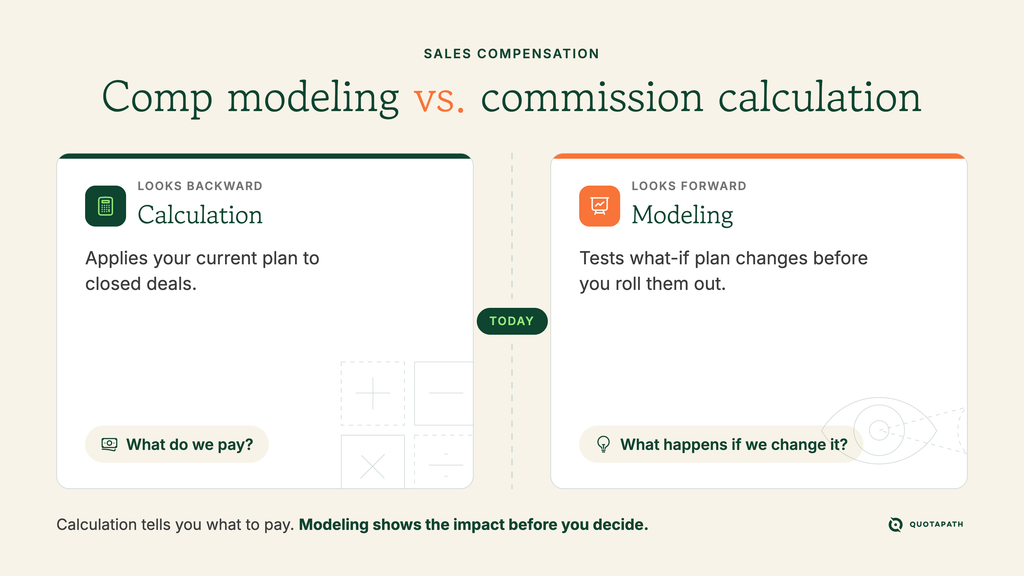
While sales compensation calculation looks backward at what you owe, modeling looks forward to what a plan will cost. There are four kinds of modeling: plan scenarios, quota and capacity, territory carve, and cost of comp.
Plan scenarios test how changes to plan mechanics affect outcomes, and quota and capacity models whether quotas, headcount, and seller capacity support revenue targets. Territory carve models how accounts and opportunities are distributed across territories, and cost of comp models commission costs under various assumptions.
However, most of the sales commission modeling tools on the list do only calculations.
The 10 Best Sales Compensation Modeling Tools
Sales compensation plans continually evolve. According to the Alexander Group’s 2026 Sales Compensation Trends Survey, 97% of companies changed their comp plans for 2026, up from 86%, while 57% of respondents identified quota setting as their hardest sales compensation challenge. Modeling provides data-driven insights that take the guesswork out of transforming business strategies into predictable revenue and growth.
Our research found that vendors don’t always make it clear which modeling capabilities they offer, and the market continues to evolve. For example, Anaplan, Varicent, and CaptivateIQ were named Leaders and Everstage a Challenger in the July 2026 Gartner Magic Quadrant for SPM. According to their company announcements, CaptivateIQ and Xactly also introduced competing agent suites and MCP servers on May 14, 2026, while QuotaPath followed suit on June 1, with Atlas, their AI revenue strategist.
The following comparison breaks down the 10 best sales compensation modeling tools to help you choose the option that best fits your modeling needs.
1. QuotaPath with Atlas
Best for: Mid-market teams that want modeling without enterprise pricing
What it models (and what it does not): QuotaPath with Atlas supports all four modeling types: plan scenarios, quota and capacity, territory carve, and cost of compensation.
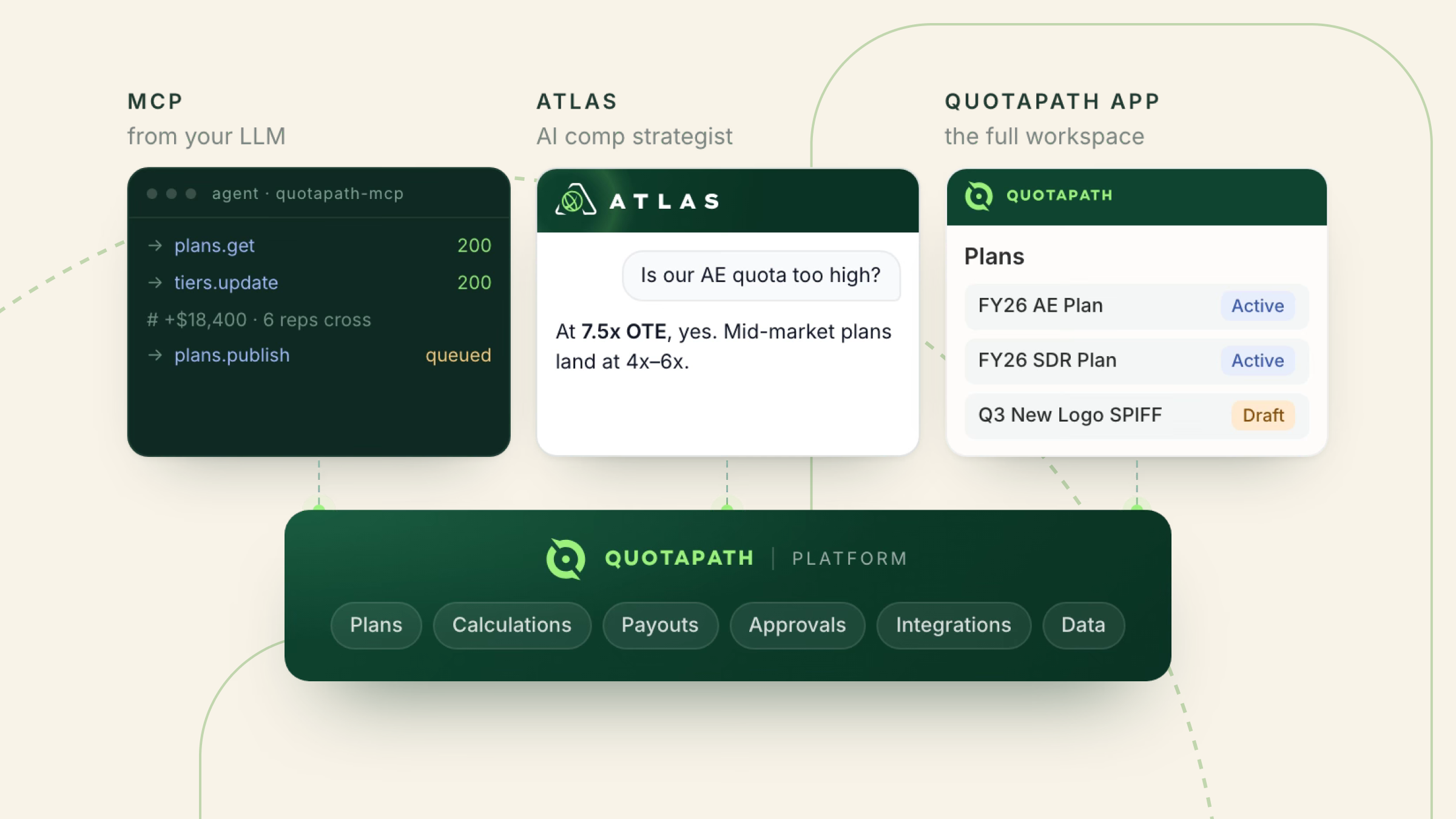
Standout capability: Atlas combines AI-powered modeling with QuotaPath’s proprietary compensation and performance data to analyze plan design, identify risks, and test how changes could affect plan performance and cost.
Pricing: Starting at $35 per user per month plus $525/mo. Platform fee and Atlas attaches for $5000
Limitations: Atlas works best when embedded with QuotaPath
Verdict: QuotaPath with Atlas supports all four modeling types, plan scenarios, quota and capacity, territory carve, and cost of compensation, without requiring separate modeling add-ons.
Try the most collaborative solution to manage, track and payout variable compensation. Calculate commissions and pay your team accurately, and on time.
Start Trial2. CaptivateIQ + Catalyst + Planning
Best for: Dedicated modeling with paid add-ons
What it models (and what it does not): CaptivateIQ combined with its add-on modules, Catalyst and Planning, supports all four modeling types.
Standout capability: The Catalyst add-on provides a general-purpose modeling environment where teams can build custom models using their own business logic and data.
Pricing: Custom-priced
Limitations: Both the Catalyst and Planning CaptivateIQ add-ons are required to support all four modeling types, increasing costs beyond the core incentive compensation management software (ICM). Pricing for these additional capabilities is not publicly disclosed.
Verdict: CaptivateIQ supports all four modeling types when Catalyst and Planning are combined with its core platform, with plan scenario and cost-of-comp modeling in Catalyst and quota and capacity and territory carve modeling in Planning.
3. Xactly Plan + Design
Best for: Enterprise modeling supported by add-on modules.
What it models (and what it does not): Xactly supports all four types of modeling when it is combined with its two add-on modules, Plan and Design. The Plan add-on supports quota and capacity modeling and territory carve, while the Design add-on is required for plan scenarios modeling and cost of compensation modeling.
Standout capability: Xactly combines more than 20 years of proprietary pay and performance data with benchmarking to help teams ground compensation and planning decisions in historical market data.
Pricing: Custom-priced
Limitations: Supporting all four modeling types requires both Xactly Plan and Design in addition to the core incentive compensation platform. Pricing is custom, making the total cost of the combined solution unclear without contacting Xactly.
Verdict: Xactly supports all four types of enterprise modeling with their Plan and Design add-ons, combining compensation plan and cost modeling with broader quota, capacity, and territory planning.
4. Anaplan
Best for: Connected GTM and finance planning
What it models (and what it does not): Anaplan supports plan scenario modeling, quota and capacity modeling, and territory carve modeling with no add-on modules, but it does not support cost of compensation modeling.
Standout capability: Anaplan connects GTM capacity, territories, quotas, incentives, and financial planning to reconcile top-down revenue targets with bottom-up account potential and seller capacity.
Pricing: Custom-priced
Limitations: Anaplan does not support cost-of-comp modeling, so teams that need commission expense forecasting may need another solution for that purpose.
Verdict: Anaplan provides broad GTM modeling across plan scenarios, quota and capacity, and territory carve, with its modeling capabilities centered on connected sales and financial planning rather than compensation-specific modeling.
5. Varicent + Sales Planning
Best for: Territory, quota and capacity on one platform
What it models (and what it does not): Varicent supports plan scenarios and cost of compensation modeling, while its Sales Planning add-on module supports quota and capacity and territory carve modeling.
Standout capability: An AI-native sales performance management (SPM) platform with a unified planning model that centralizes the rules for quotas, sales capacity, coverage, and headcount.
Pricing: Custom-priced
Limitations: Varicent requires the Sales Planning add-on to support quota and capacity and territory carve modeling. Pricing is custom, so the additional cost of extending the platform to all four modeling types is not publicly disclosed.
Verdict: While the Varicent platform supports plan scenario and cost-of-comp modeling, its Sales Planning add-on is required for quota and capacity and territory carve modeling.
6. Forma.ai
Best for: AI-native enterprise plan design
What it models (and what it does not): Forma.ai supports plan scenarios, quota and capacity, territory carve, and cost of compensation modeling types without add-ons.
Standout capability: A unified data platform that connects incentive compensation, territory planning, and quota setting, allowing modeled changes to move directly from planning into execution.
Pricing: Custom-priced
Limitations: Forma.ai is designed, priced, and serviced for mid-market and enterprise organizations with 75 to 10,000+ sales reps, making it less aligned with the requirements of smaller sales teams. Pricing is not publicly disclosed.
Verdict: Forma.ai combines all four modeling types in a unified platform, but its architecture and operating model make it best suited to larger sales organizations with complex modeling requirements.
7. Everstage with Time Machine + Planning add-on
Best for: Growing mid-market through enterprise companies.
What it models (and what it does not): Everstage supports plan scenario modeling through Time Machine, while its Planning add-on supports quota and capacity, territory carve, and cost-of-comp modeling.
Standout capability: Everstage plus its Planning add-on provide a connected planning-to-payout workflow that carries territory, quota, and capacity decisions directly into incentive compensation and execution.
Pricing: Custom-priced
Limitations: Everstage’s Planning add-on is required for quota and capacity, territory carve, and cost-of-comp modeling. Pricing is custom, so the additional cost of accessing these modeling capabilities is not publicly disclosed.
Verdict: While Everstage with Time Machine supports plan scenario modeling, its Planning add-on is required to support quota and capacity, territory carve, and cost-of-compensation modeling.
8. Salesforce Spiff
Best for: Salesforce-native revenue teams
What it models (and what it does not): Salesforce Spiff offers limited plan simulations modeling, and does not support quota and capacity, territory carve, and cost of compensation modeling.
Standout capability: Salesforce-native teams can extend Spiff’s limited modeling capabilities by adding Salesforce Sales Planning without introducing another vendor into their tech stack.
Pricing: $75 per user per month
Limitations: Spiff’s modeling capabilities are limited to plan simulations. Quota and capacity, and territory carve modeling require the Salesforce Sales Planning add-on, while dedicated cost-of-comp modeling does not appear to be an option.
Verdict: While Spiff only supports limited modeling on its own, Salesforce-native teams can expand their modeling options with the Salesforce Sales Planning add-on to avoid adding another vendor to their tech stack.
9. Performio
Best for: Complex rules-based enterprise plans
What it models (and what it does not): Performio supports plan scenario and cost-of-comp modeling, allowing teams to test changes to quotas, rates, and incentive structures and forecast their financial impact. However, it does not support quota and capacity or territory carve modeling.
Standout capability: A modular architecture that allows teams to model different compensation scenarios by combining and adjusting reusable components for crediting rules, rates, tiers, quotas, splits, and rollups. Teams can then modify individual components without rebuilding the entire model for each scenario.
Pricing: Custom-priced
Limitations: Performio does not support quota and capacity or territory carve modeling, limiting its use for teams that need a tool that models broader sales planning decisions. Pricing is not publicly disclosed.
Verdict: Performio’s modular architecture supports flexible plan scenario and cost-of-comp modeling for complex compensation structures, but teams that also need quota and capacity or territory carve modeling will need another solution for those capabilities.
10. Spreadsheets
Best for: The baseline you are actually replacing
What it models (and what it does not): Plan scenario, quota and capacity, territory carve, and cost of compensation modeling types can be completed with spreadsheets.
Standout capability: Flexibility. With the right formulas, data, and expertise, spreadsheets can support what-if analysis across all four modeling types.
Pricing: N/A
Limitations: Spreadsheet models require time-consuming manual setup, maintenance, and version control, and become increasingly difficult to govern as plan complexity grows. According to ongoing spreadsheet error research initiated by Ray Panko, an average of 91% of spreadsheets contain errors, underscoring the risks of relying on manual models and the increased risk of errors.
Verdict: While spreadsheets can support all four modeling types and offer flexibility, they require greater manual effort and maintenance and carry a higher risk of modeling errors, especially as modeling requirements become more complex.
How to Choose the Right Modeling Tool for Your Team
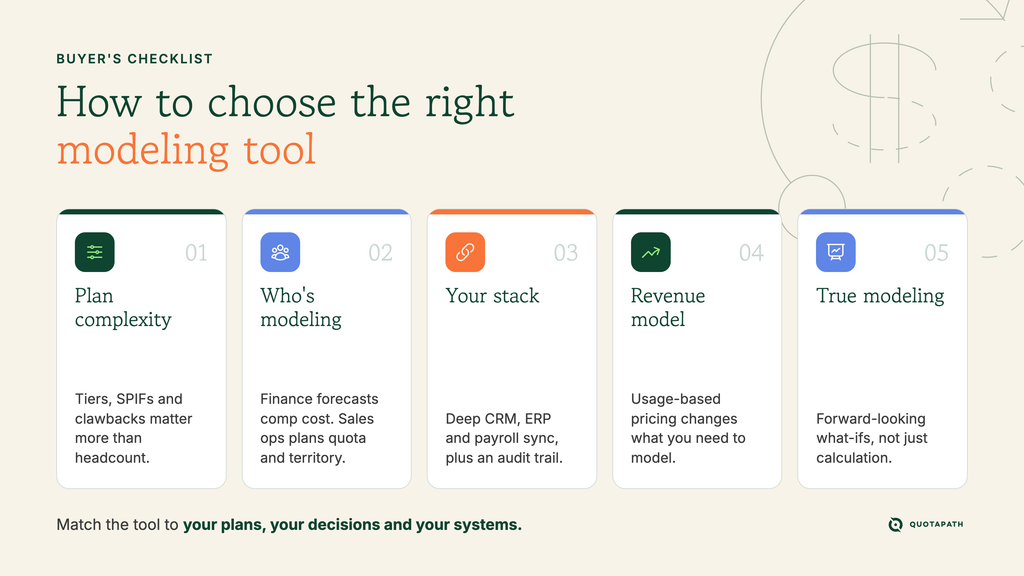
Choosing the right sales compensation modeling software starts with plan complexity and the types of modeling you actually need. A team running one flat commission plan needs something very different from one juggling multi-role plans, tiered accelerators, SPIFs, and clawbacks. Rule complexity often has nothing to do with headcount. For instance, a 20-person team with a gnarly plan structure may need what Performio offers more than a 300-person team with a simple one.
The modeling capabilities you prioritize should also reflect your team’s responsibilities and goals. For example, a Finance-led buyer may prioritize cost-of-comp forecasting for budgeting, while a sales ops team scaling territories may care more about quota capacity planning and territory carve modeling.
Your existing CRM and finance stack can matter more than team size, too. Salesforce-native organizations may gravitate toward Spiff, while companies already using Anaplan for FP&A may benefit from connected GTM planning. Consider integration depth and CRM/ERP/payroll sync alongside implementation time and pricing. Ensure that your chosen tool automatically generates ASC 606-compliant audit trail documentation.
Revenue model matters as well: usage-based or consumption pricing changes what modeling means, so these teams need sales compensation software that can accommodate those variables. And don’t confuse calculation with modeling. Platforms such as Visdum, Palette, Core Commissions, and Qobra calculate commissions but don’t provide the forward-looking modeling capabilities covered here.
Ultimately, the right tool should match the complexity of your plans, the modeling decisions you need to make, and the systems and revenue model you already have. If you want to test your comp plan before rollout, you can try QuotaPath free to see how different assumptions affect plan performance and cost before committing to changes.
Sales Compensation Modeling FAQs
What is sales compensation modeling?
Sales compensation modeling is the process of testing how a compensation plan could perform and cost before it goes live. Unlike commission calculation, which determines what you already owe, sales comp modeling uses assumptions to evaluate potential outcomes.
It can include plan scenarios that test changes to compensation structures, quota and capacity modeling, territory carve modeling, and cost-of-comp forecasting. This forward-looking analysis helps Finance, RevOps, and Sales leaders make strategic compensation planning decisions.
What is the difference between comp modeling and commission calculation?
The difference between comp modeling and commission calculation is that comp modeling is forward-looking, while commission calculation looks backward. Commission calculation applies the rules of an existing compensation plan to completed sales activity to determine rep earnings.
Comp modeling uses assumptions and what-if analysis to evaluate how potential plan changes could affect payouts, attainment, or overall compensation costs before implementing them. In other words, calculation tells you what to pay, while modeling helps you understand the potential impact of compensation decisions before making them.
How much does sales compensation modeling software cost?
Sales compensation modeling software cost varies widely based on the vendor, number of users, modeling capabilities, and implementation requirements. Many vendors use custom pricing rather than publishing rates, and advanced modeling may require additional products or modules.
When comparing costs, look beyond per-user pricing to platform fees, annual contract minimums, implementation costs, and separately priced capabilities. QuotaPath is one of the few vendors that publish pricing on their website.
Can you model sales compensation in Excel?
Yes, you can model sales compensation in Excel using formulas and assumptions to test plan scenarios, quotas, territories, and commission costs. However, spreadsheets become harder to maintain as plan complexity increases, creating greater risk of errors and version-control issues.
Historical research by Raymond Panko found that spreadsheet errors are common, making manual modeling increasingly risky as plans scale. Teams already calculating commissions in Excel may benefit from dedicated software that provides greater automation, governance, and visibility.
How do you model compensation for usage-based pricing?
To model compensation for usage-based pricing, account for how actual customer consumption may differ from the expected value at the time of sale. Test different usage assumptions, payout timing, true-ups, and attainment scenarios to understand how changes in consumption could affect rep earnings and total compensation costs.
Because revenue can fluctuate after a deal closes, a usage-based compensation model requires more flexibility than traditional booking-based plans. Look for comp plan modeling software that supports usage-based and consumption pricing variables.