Need a commission calculator? Ask Claude to build it.
Claude should have one ready in 5 to 10 minutes. You can input your deal amount, apply a rate, and add a couple of tiers.
And it’ll look great – leaving many Revops teams wondering why they are paying for commission software versus just running their own tool using Claude or ChatGPT?
It’s the classic build vs. buy debate now fully wrapped around AI.
But the question isn’t if AI can write commission logic. (It can.)
The question is where AI should sit in your comp process.
Our answer: on top of a governed comp platform, connected to real plan and payout data. This way you avoid rebuilding from scratch in a chat window or a spreadsheet.
Below, we cover what AI is good at in sales compensation, where a homegrown calculator breaks, and how admins are using QuotaPath’s Atlas and the QuotaPath MCP to get the speed of AI without giving up a system of record.
AI is great at comp work. It’s bad at being your comp system.
AI models are strong at the thinking parts of compensation: reading a plan document, explaining how an accelerator works, modeling “what if” scenarios, drafting rep-facing FAQs, and spotting where a plan rewards the wrong behavior.
They struggle with anything that touches a paycheck.
A calculator built in a chat window has no memory of last quarter’s plan version, no audit trail, no permissions, and no live connection to your CRM or billing data. Every answer depends on whatever you pasted in that day.
| AI is strong at | A DIY AI calculator struggles with |
| Explaining plan mechanics in plain language | Version control when plans change mid-year |
| Modeling scenarios and plan changes | Clawbacks, splits, and retroactive adjustments |
| Summarizing attainment and payout trends | Audit trails finance and auditors will accept |
| Drafting plan docs and rep communications | Access controls on sensitive pay data |
| Answering ad hoc questions fast | Staying in sync with CRM, billing, and payroll |
None of the items in the right-hand column are things a better prompt fixes. They’re infrastructure.
That’s why we’ve argued before that commission logic is the one GTM tool you shouldn’t vibe-code. But “don’t build it” isn’t a complete answer.
Admins still want AI in their comp workflow. So where does it go?
The better setup: a system of record, with AI on top
Think of it in two layers.
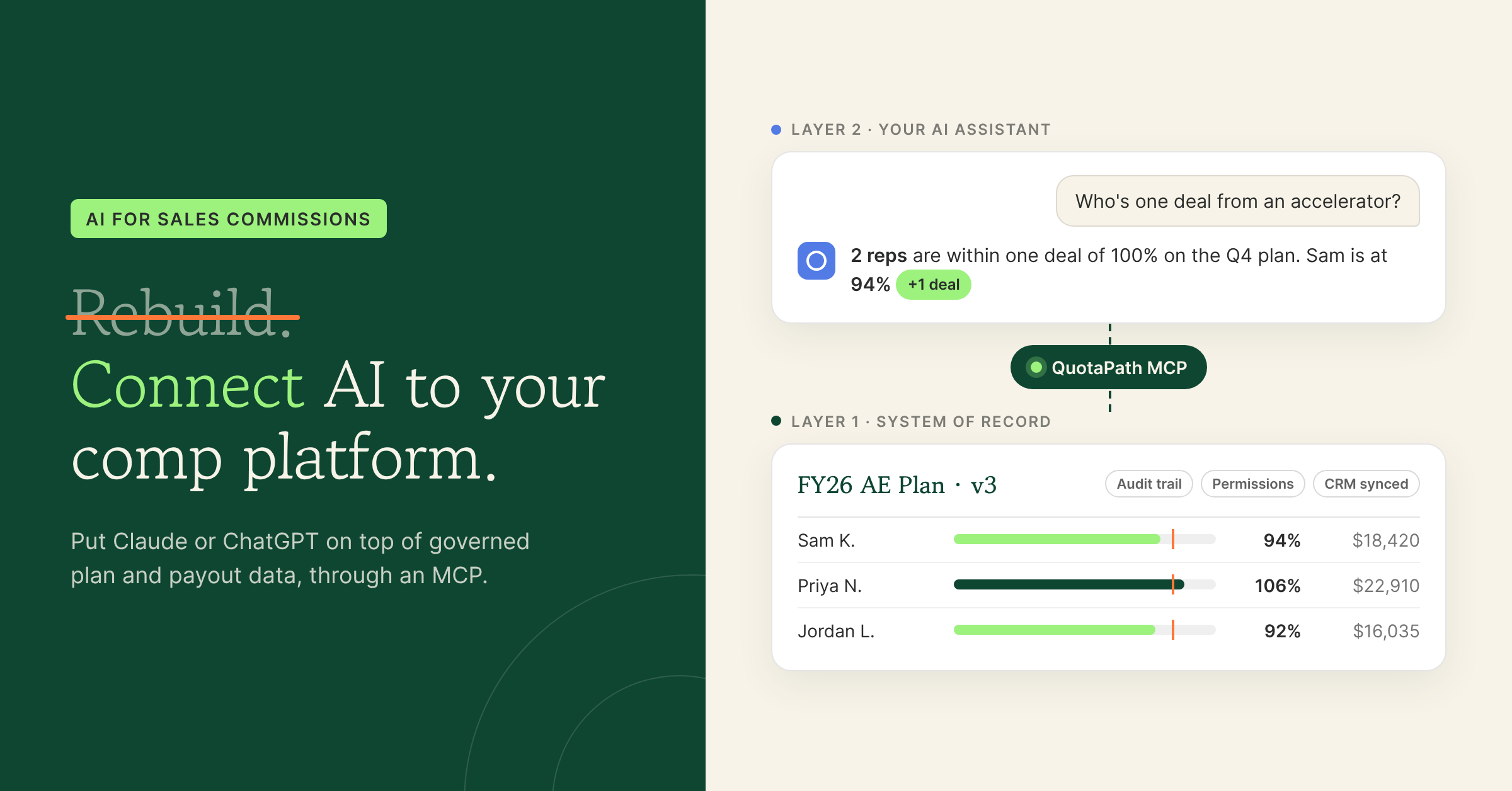
Layer 1: the system of record. This is where plans, quotas, rates, deals, and payouts live, with version history, approvals, permissions, and integrations to your CRM and billing tools. It has to be right every pay period. It’s what QuotaPath does.
Layer 2: the AI layer. This is where you think, ask, model, and communicate. In QuotaPath, that layer shows up two ways:
- Atlas, inside QuotaPath. Atlas is QuotaPath’s AI revenue strategist. It’s built on QuotaPath’s data from tens of thousands of comp plans, and it helps you benchmark plans, stress-test scenarios before rollout, design plans around company objectives, and answer questions about team performance. Learn more about Atlas.
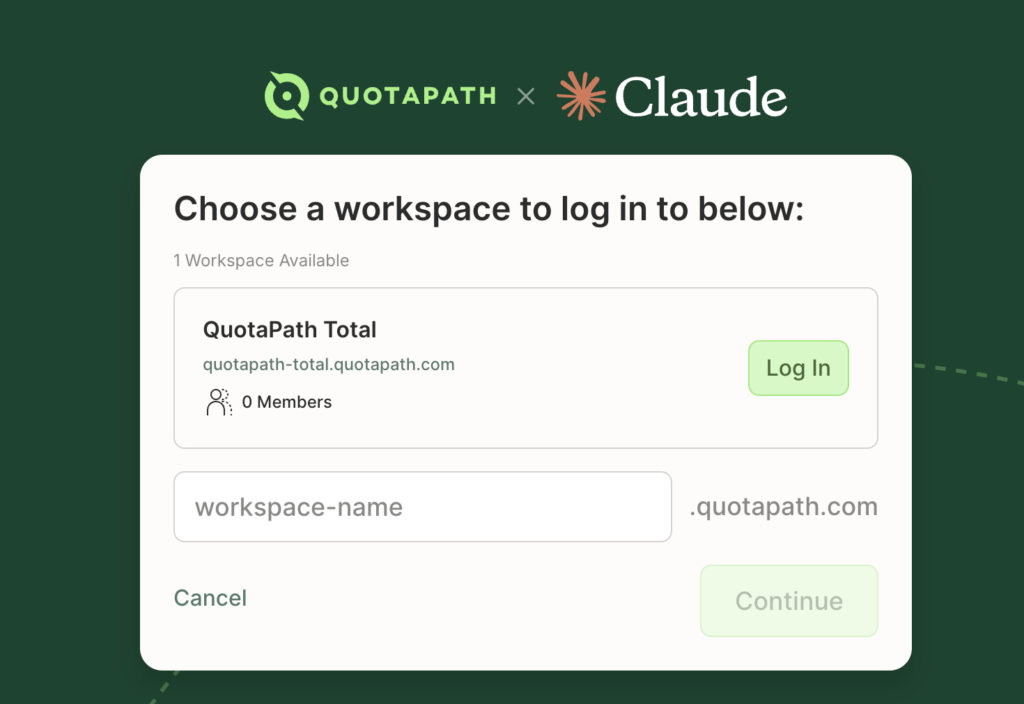
- The QuotaPath MCP, inside the AI tools you already use. MCP (Model Context Protocol) is an open standard that lets AI assistants like Claude connect to business systems. With the QuotaPath MCP, your AI assistant can work with your actual QuotaPath plan and payout data instead of a spreadsheet you exported last Tuesday.
The difference: When you ask a question, the AI isn’t recalculating commissions from scratch.
Instead, it reads from the same governed numbers your reps, finance team, and payroll already trust.
Other comp vendors are starting to ship MCPs too, which is a good sign for admins. So when you evaluate one, look past the checkbox.
- Ask what the AI is connected to: just a ledger of payouts, or plan design expertise, benchmarks, and live data in one place?
The QuotaPath Admin Flywheel: AI all year, not just at plan time
Most comp tools treat AI as a one-time event.
Help me write next year’s plan. Fin.
Comp admins don’t work that way. Their year is a loop, and every stage benefits from AI when it’s connected to the same data.
- Design. Use Atlas to benchmark plans against tens of thousands of others and stress-test scenarios before rollout.
- Launch. Roll plans out in QuotaPath with quotas, rates, and rep visibility from day one.
- Run. Commissions calculate on governed logic tied to your CRM and billing data. This is the part you don’t hand to a chatbot.
- Analyze. Use the MCP to ask questions of live comp data in the AI assistant you already use.
- Adjust. Bring what you learn back to Atlas to fix what isn’t working mid-year, not 12 months later.
Each turn makes the next one faster. That’s the flywheel, and it only spins when AI and the system of record live together.
What admins can build instead of a calculator
The best use of AI in comp isn’t rebuilding the math. It’s building the things around the math that admins never had time for. A few ideas, all running on QuotaPath data through the MCP:
- A weekly attainment brief. Ask your AI assistant to summarize who’s ahead, who’s behind, and who’s one deal from an accelerator, then drop it into your Monday sales leadership notes.
- A rep-question triage. Pull a rep’s current plan and earnings when a “why is my payout this number?” question comes in, so you can answer in minutes instead of digging through statements.
- A plan-change impact check. Before you change a rate or quota, model what last quarter would have paid under the new terms.
- A board or finance summary. Turn commission expense, attainment distribution, and cost of sale into a draft narrative for your CFO.
- A mid-year health check. Flag reps whose attainment pattern suggests the plan isn’t driving the behavior you designed it for, then take those findings to Atlas to redesign.
Want to see these built live? Watch our webinar, What to Build with the QuotaPath MC.
6 questions to ask before you put AI anywhere near commissions
Regardless of where you’re at in your AI comp calculator journey, ask:
- What is the AI reading from? A live system of record, or a file someone uploaded?
- Does it know which plan version applied when? Commissions are paid on history, not just today’s rules.
- Who can see what? Comp data is some of the most sensitive data in the company. Permissions should carry through to the AI layer.
- Can finance audit the answer? If an AI explains a payout, can someone trace it back to the deal, rate, and plan that produced it?
- Does it help you design, or only report? Answering “what did we pay?” is useful. Answering “what should we pay next year?” is where the leverage is.
- Does it work where you already work? An MCP that connects to the AI assistant your team already uses beats another tab to log into.
For the broader software evaluation, use our commission tracking software buyer’s checklist.
Try the most collaborative solution to manage, track and payout variable compensation. Calculate commissions and pay your team accurately, and on time.
Start TrialThe bottom line
AI is changing how comp admins work. It already is. But the win isn’t a faster way to rebuild the commission engine you already have. It’s a smarter layer on top of it: one that designs better plans, answers questions in seconds, and turns comp data into decisions all year long.
Keep the math governed.
Put the AI where it multiplies your time.