Key takeaways
| Tool | What it calculates | Handles tiers & accelerators | Free without an email | Best for |
|---|---|---|---|---|
| QuotaPath Calculator Hub | Quota OTE Quota:OTE ratio Commission rate Sales funnel activity Total commission rate Ramp | No | Yes | Sales compensation teams |
| Qobra Commission Calculator | Commission OTE Margin rate | Yes | Yes | Tiered plans |
| Exec Sales Comp Calculator | The impact of compensation structure scenarios on sales performance and financial ROI | Yes | Yes | Modeling ramp and accelerators |
| The Bridge Group Commission Calculator | Base and OTE for AEs and sales leaders | No | No | Benchmarking what to pay |
| Visdum Calculator Hub | Sales commissions ASC 606 amortization OTE | Yes | No | ASC 606 commission amortization |
| HubSpot Compensation Calculator | Sales rep earnings for seven different pay structures | No | No | Comparing plan structures |
| Levels.fyi Total Compensation Calculator | Salary and multi-year job offer comparisons | No | Yes | Equity and total package modeling |
What a compensation calculator can and cannot do
Most free commission calculators do basic arithmetic at a single commission rate based on user input. They mostly support single-rate math rather than real plan mechanics. Mechanics such as tiers, accelerators, decelerators, caps, cliffs, draws, splits, ramp, and clawbacks typically break them. In fact, no free calculator on the open web handles clawbacks or split credit interactively.
Although free calculators do basic math, they’re more accurate than manual methods like calculating commissions in Excel. Manual methods are prone to formula errors, inconsistent calculations, and outdated data. As commission plans become more complex, maintaining spreadsheets and manually updating calculations become increasingly time-consuming and increase the risk of inaccurate payouts and disputes.
There are two categories of free commission calculators designed for different audiences. One category answers a rep asking, “What will I earn?” The other answers a comp owner asking, “What will this plan cost?” No one else offers free compensation calculators for both reps and comp owners except QuotaPath.
How we picked these tools
We selected these seven tools by screening them with five tests: does it compute more than a flat rate, is it free without an email, does it show its working, is it grounded in benchmark data, and does it say where it stops. We found that two widely ranking pages, on the CaptivateIQ and Everstage websites, titled as calculators, contain no calculator at all. Full transparency—QuotaPath is publishing this page.
The 7 best compensation calculator tools
Below is a more detailed review of each of the best compensation calculator tools, designed to help you select the one that best meets your needs.
1. QuotaPath Calculator Hub: best free set for sales comp teams
What it calculates: The QuotaPath calculator hub is home to six commission calculators
Five are designed for Sales leaders, RevOps, and Finance:
- The quota:OTE ratio calculator helps ensure the on-target earnings and quotas in your comp plans are aligned with industry standards.
- The sales compensation calculator helps determine how to pay sales reps.
- The sales ramp calculator sets new hire rep quotas and ramp compensation plans that ensure reps have a fair chance at earning their full on-target earnings.
- The total commission rate calculator reveals the full cost of commissions per deal across the multiple roles that touch a single deal, helping Finance leaders optimize comp plans and protect margin.
- The sales funnel calculator helps reps and sales leaders determine how much activity they need to log to achieve individual and team targets.
The sixth tool, Sales Commission Calculator Template, is designed to help reps track and calculate commissions, manage deals, and track earnings.
Plan mechanics it supports: Quota, on-target earnings (OTE), commission rate, pay mix, ramp quota and comp plans, and OTE to quota alignment.
Free or gated: All are free except the sales commission calculator template for reps that requires an email address.
Where it stops: Tiers, accelerators, decelerators, caps, cliffs, draws, spiffs, and clawbacks.
Best for: Sales compensation teams
2. Qobra commission calculator: for tiered plans
What it calculates: Qobra’s sales commission calculator is one of the most capable free, ungated interactive compensation calculators on the open web outside QuotaPath. It calculates commission, OTE achievement, and margin rate for Account Executives (AE), Sales Development Reps (SDR), and Customer Success Managers (CSM).
Plan mechanics it supports: Qobra’s commission calculator tool supports up to five tiers of commissions plus cliffs, accelerators, decelerators, caps, and ramp-up.
Free or gated: Free
Where it stops: draws, splits, and clawbacks
Best for: An excellent calculator for tiered commission plans.
3. Exec sales comp calculator: best for modeling ramp and accelerators
What it calculates: The Exec Sales Compensation Simulator is designed to help RevOps, sales leaders, and Finance model their compensation strategy. This commission calculator tool allows you to visualize how different compensation structures impact sales performance and financial ROI across various scenarios. It also generates sharable models.
Plan mechanics it supports: Base salary, target commissions, commission rate, OTE, quota, ramp, tiers, accelerators, multipliers, and cliffs
Free or gated: Free
Where it stops: Caps, draws, splits, and clawbacks.
Best for: Modeling ramp and accelerators.
4. The Bridge Group compensation calculator: best for benchmarking what to pay
What it calculates: The Bridge Group compensation calculator generates base and on-target earnings (OTE) for AEs and sales leaders. The calculations are based on geography, average selling price, rep’s years of experience, level of leadership, leader-to-AE ratio, and whether or not the solution is a SaaS. The commission calculator tool’s output is based on The Bridge Group’s most recent AE metrics research drawn from a sample of 336 B2B technology companies.
Plan mechanics it supports: AE and sales leadership base salary and on-target earnings.
Free or gated: Gated—an email plus additional information is required to download the calculator.
Where it stops: Limited to base and on-target earnings for AEs and sales leadership.
Best for: Excellent compensation calculator for setting base and variable pay for reps and sales leaders.
5. Visdum calculator hub: best for ASC 606 commission amortization
What it calculates: Visdum’s Compensation Calculator Hub is designed to help finance, RevOps, and sales leaders model, calculate, and analyze sales comp. It includes three calculators:
- Sales Commission Calculator: Calculates and models commissions based on base pay, variable pay, tiered rates, accelerators, and caps.
- ASC 606 Amortization Calculator: Helps finance determine commission capitalization and amortization schedules that comply with accounting standards for topic 606.
- On-Target Earnings (OTE) Calculator: Calculates total expected earnings and quota-to-earnings ratio.
Plan mechanics it supports: Base pay, variable pay, tiers, accelerators, caps, and quota:OTE ratio.
Free or gated: Gated—an email is required to receive the desired calculations.
Where it stops: Decelerators, caps, cliffs, draws, splits, ramp, and clawbacks.
Best for: ASC 606 commission amortization
6. HubSpot sales compensation calculator: best for comparing plan structures
What it calculates: HubSpot’s Sales Compensation Calculator estimates sales rep earnings based on projected sales figures, commission rates, and base salary for seven different pay structures.
Plan mechanics it supports: Salary plus commission, fixed percentage-based commission, tiered commission structures, bonus plans, territory volume structures, set rate commission, and attainment-based commission.
Free or gated: Gated—an email is required to download the calculator.
Where it stops: Accelerators, decelerators, caps, cliffs, draws, splits, ramp, and clawbacks.
Best for: Comparing plan structures.
7. Levels.fyi total compensation calculator: best for equity and total package
What it calculates: The Levels.fyi Total Compensation Calculator is a tool that helps job seekers and employees estimate, model, and compare current salaries or multi-year job offers.
Plan mechanics it supports: Yearly base salary, performance bonuses, annual signing bonuses, and relocation allowances, plus stock and equity modeling that accounts for total stock grant values, custom vesting schedules, and simulated annual stock price growth percentages.
Free or gated: Free and ungated
Where it stops: Does not enable sales compensation modeling with tiers, accelerators, decelerators, caps, cliffs, draws, splits, ramp, or clawbacks.
Best for: Equity and total package modeling
When a calculator stops being enough
Use this complexity threshold checklist to determine when you need more than a simple sales compensation calculator:
- More than one plan component
- Per-rep quota changes mid-period
- Split credit across roles
- Draws or guarantees
- Clawback on churn
- ASC 606 amortization
- Mid-year plan revisions
- More than about 15 reps.
QuotaPath offers a variety of free tools designed to help Sales leaders, RevOps, and finance run comp numbers fast. For instance, try the trial comp plan templates and the free commission calculator template, then leverage Atlas, our AI revenue strategist, to analyze or update comp plans for free.
Check out the transparent QuotaPath pricing or sign up for a QuotaPath 14-day free trial and use our commission automation ROI calculator to assess the value of automating sales compensation.
Compensation calculator FAQs
What is a compensation calculator?
A compensation calculator is a tool that helps sales reps, sales leaders, RevOps, and Finance calculate earnings and compensation costs based on inputs such as base salary, commission rates, sales quotas, and performance. Depending on the tool, it can calculate on-target earnings (OTE), individual sales commissions, quota-to-OTE ratios, and the cost of different compensation structures.
How do you calculate OTE?
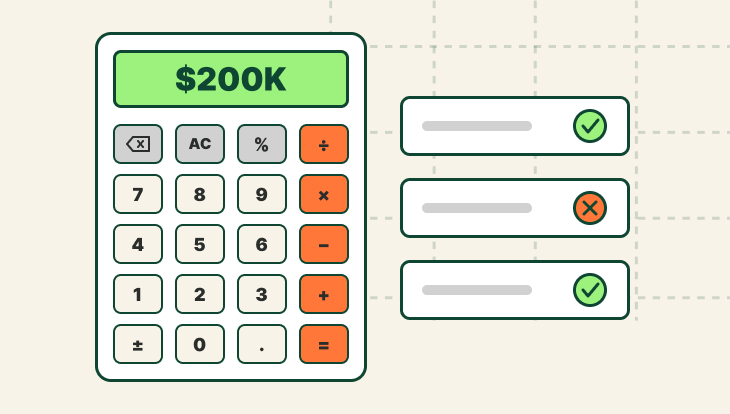
To calculate on-target earnings (OTE), add annual base salary to the variable compensation at 100% quota attainment. For example, a rep with a $100,000 base salary and $100,000 in target commissions has an OTE of $200,000.
According to Pavilion’s sales compensation benchmark survey, a 5x quota-to-OTE ratio is a useful starting point, but not a hard rule. At that ratio, a $200,000 OTE translates to a $1 million annual quota. QuotaPath’s quota:OTE ratio calculator makes it easy to evaluate the alignment between quota and target earnings.
How do you calculate commission with accelerators?
To calculate commission with accelerators, apply the standard commission rate to sales up to a specified quota attainment threshold, then apply a higher rate to sales above that threshold.
For example, a rep with a $500,000 quota and a 10% base commission rate earns $50,000 at 100% attainment. If a 1.5x accelerator kicks in above 100% attainment, the commission rate increases to 15% on additional sales. At $600,000 in sales, the rep earns $50,000 on the first $500,000 and $15,000 on the additional $100,000, for a total commission of $65,000.
Is there a free sales commission calculator?
Yes, several free sales commission calculators are available online, including tools from QuotaPath, Qobra, and Exec that don’t require an email address or registration. Depending on the tool, they can calculate sales commissions, commission rates, quotas, OTE, and earnings under different compensation structures. However, free calculators have limitations, particularly when calculating commissions involving draws, split credit, and clawbacks.
What is a good quota-to-OTE ratio?
A 5x quota-to-OTE ratio is a commonly used benchmark for sales compensation planning, based on Pavilion’s sales compensation benchmark survey. For example, a sales rep with a $200,000 OTE would have a $1 million annual quota. However, the 5x ratio is a general guideline, not a hard rule. The ideal quota-to-OTE ratio depends on factors such as industry, sales cycle length, deal size, and the company’s sales model.